Niche guide ·
Photography Portfolio Website Examples: 6 Layouts to Copy
Photography portfolio website examples sorted by layout, with what each does well and the free Framer template that gives you the same structure.
Short answer: Good photography sites differ in layout but share three things: a tight edit, a clear way into the work and a contact link that is easy to find. Below are six layouts, with five live examples built on Framer across the first four and the last two shown only through a free template: series on the home page, a book-style index, one headline and one button, a name and a works link, a masonry feed, and an archive with filters.
I design the Framer templates named here, and they are all free, so read this as a builder’s notes, not a neutral review. I did not pick the example sites because they match my templates. I picked them from Framer’s Community Gallery, opened each on October 26, 2026, and checked the page source for a Framer generator tag.
How I chose these examples
I only describe what is written on the home page when I opened it. I cannot judge photographs I did not study, and I do not copy anyone’s images here. Every example links to the live site.
The first four layouts have live examples, five sites in all because one layout has two. For the other two I had no verified Framer-built site to point at, and I would rather say so than pad the list with sites built on other tools.
Layout 1: series on the home page
The home page lists the bodies of work and nothing else. Aleksander Dylikowski’s site (dylikowski.com) opens with four numbered series: Essence, Horizon, Above and Flow. Each has a “View gallery” link, and Flow links to videos instead. The menu adds About me and Get in touch.
What it does well is give a visitor four clear doors. What to watch is that the entry text is short, so the first photographs in each series do the selling.
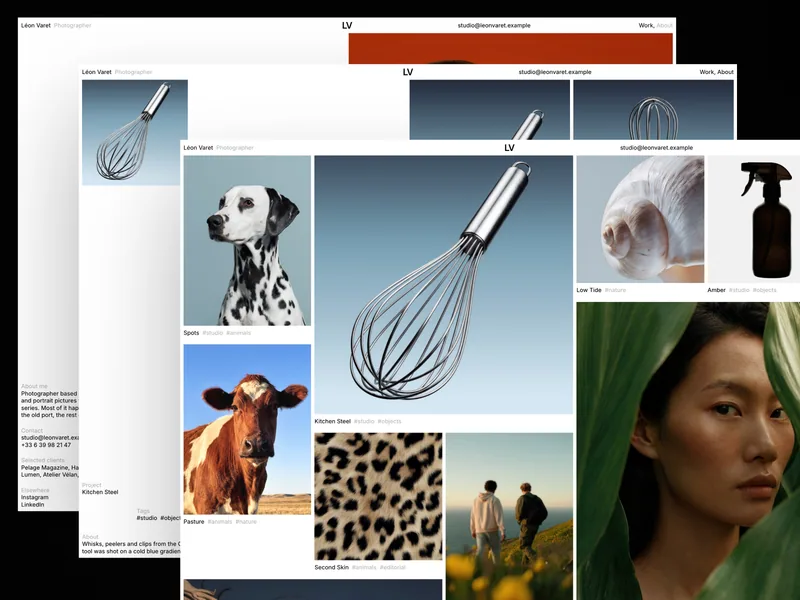
The template with the same structure is Léon Varet, for photographers who work in series. It has a packed home grid with five frame sizes, and series pages with a full screen viewer with Close, Previous and Next.
Layout 2: a book-style index
Lea Harmoza’s site (harmozalea.com) is titled Photographer’s Book. Its text says it is an experiment, and it asks visitors to scroll and click to find their way. The index is numbered: About, then Fashion Projects with eight titled entries, then Music Projects.
What it does well is group commissions by kind and name each one. What to watch is the site’s own warning that it may be confusing at first. A book index suits an editorial audience, and it asks more of a first-time visitor.
For two bodies of work, client projects and personal photo series, look at Silvan Rhyner. It uses a fixed sidebar with your navigation and a status badge, and the sidebar is built from the CMS, so a new project or series appears there on its own. It is dark only, by design.
Layout 3: one headline and one button
Lauren Rader’s wedding site (laurenraderphotography.com) leads with a headline, “Documenting Irreplaceable Moments, Naturally”, and a “View work” button. The menu has three items: Portfolio, About and Inquire. Tara Noelle’s site (taranoelle.ca) does the same job with “Emotional Truth Over Digital Perfection” and a menu of About, Work and Let’s Chat.
What both do well is one line of positioning and a contact link in the first screen. What to watch is that a headline carries more weight when there are fewer images, so write it last.
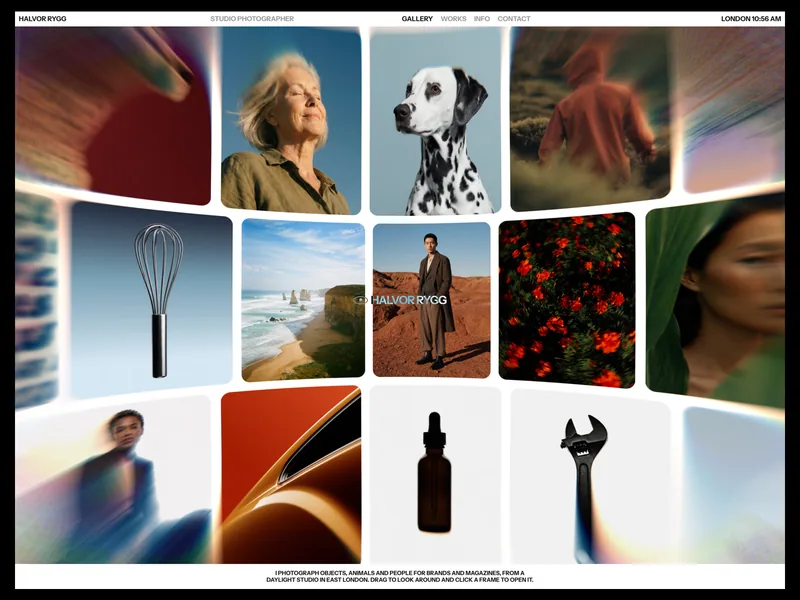
If you want a contact form that sorts inquiries, Halvor has one. Visitors pick a project type from a select, then add their name, email, company and message, and the send button shows sending, sent and error states.
Layout 4: a name and a works link
Laura Czirják’s site (lauraczirjak.com) has a two-item menu, Works and About & Contact. The home page shows her name, “Photographer” and “Based in Budapest”, with a “View Works” link. The contact options are an email, Instagram and phone.
What it does well is give an art director everything needed in a few words. What to watch is that the site depends on the work behind the link, so check that page on a phone first.
Halvor has a plain version of this inside it. Its Works page lists every project on one row with its number, category, client and year, and the project’s cover follows the cursor on hover. The home page is a WebGL sphere that holds every image, so test it on a slow connection before you commit.
Layout 5: a masonry feed with no hero
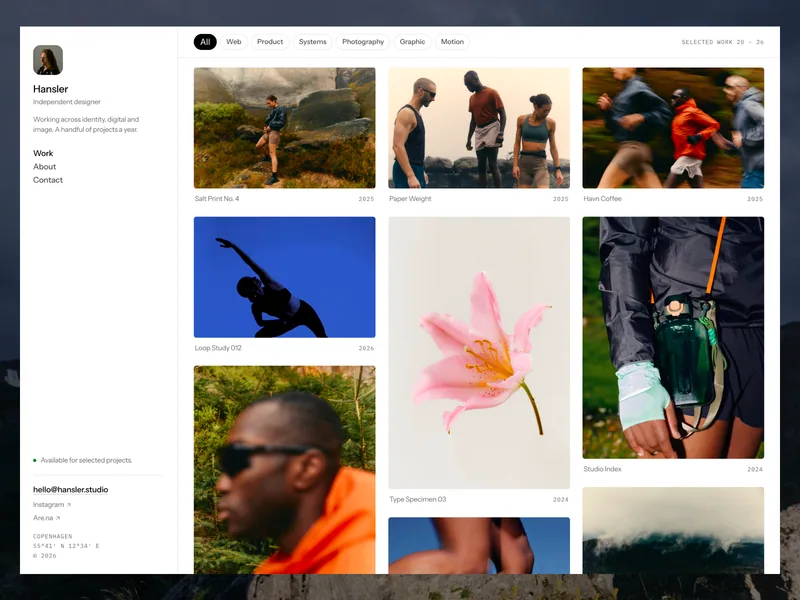
I have no verified Framer-built live example for this one, so here is the template only. Hansler has no hero section, and the home page is the feed. Most templates loop over projects, so each project gets one cover image. Hansler loops over a Media collection, so every image or video is its own CMS item with a reference back to its project, and one project can put six frames into the grid.
Category chips filter the grid, and a lightbox opens each frame. What to watch is that it uses 3 CMS collections: Work, Media and Categories. On October 26, 2026, Framer Basic listed 2 CMS collections and Pro listed 10, so check the fit in my Framer pricing guide before you pick it.
Layout 6: an archive with filters
This is also template only. Nordlyn presents the work as a minimal index that visitors filter by discipline, with image previews on hover. A selected project opens an editorial case study with masonry galleries, a lightbox, credits and previous and next links.
It has light and dark themes that follow the visitor’s system setting and can be switched by hand. Projects, categories and legal documents live in the CMS. Its page does not state a collection count, so count them in the template before you choose a plan.
Patterns across these sites
Looking across the five live sites, a few things repeat:
- The first screen names the photographer and gives a way into the work
- Work is grouped into named series or projects
- Contact is in the menu or the first screen
- Copy is short, so the images do the talking
This is my reading of five sites, not a study. I did not measure how any of them perform.
What to check before you copy a layout
Copy the structure, not the pictures. Then check three things.
Bandwidth comes first. On October 26, 2026, Framer’s pricing page listed 1 GB on Free, 50 GB on Basic and 100 GB on Pro. Image-heavy portfolios use more than text sites do.
Next, images and video. Framer says it converts regular images to WebP and resizes them when you upload them as they are with the resolution set to Auto. It also says it serves uploaded video at the original resolution and suggests YouTube or Vimeo for video.
Last, CMS fit. A masonry feed or a filtered archive needs more collections than a one-collection template like Halvor.
Pick a builder
Framer fits a portfolio that mainly shows work and should look custom. On October 26, 2026, Framer’s pricing page listed no built-in store, so a Framer site links out to a separate shop for prints. Squarespace has commerce built in, and my Framer vs Squarespace comparison has the prices.
PetaPixel reported on July 17, 2026 that Squarespace was raising annual prices, with Basic going from about $16 to $19 per month, and listed Format, SmugMug, Zenfolio and Wix among other options for photographers. If you want to start without paying, remix one of the free templates and publish on a free framer.photos address, then upgrade to Basic at $10 per month on yearly billing when you want your own domain.
FAQ
Can I make a photography portfolio website for free?
Yes. Remix a free Framer template and publish on a free Framer address such as framer.photos. Framer calls its Free plan ideal for non-commercial use, so plan on a paid plan if the site brings in clients. A custom domain also needs a paid plan, and on October 26, 2026, Basic was $10 per month on yearly billing.
Can I sell prints from a Framer portfolio?
Framer’s pricing page lists no built-in store, so you link to an external shop or checkout. If selling prints is half the point of the site, compare it with a builder that has commerce built in.
Should I organize by series or by client?
Group personal work by series and commissions by client, so editors find the kind of work they hire for. Silvan Rhyner keeps projects and series in separate collections.
What size should photos be?
Framer says you can upload regular images as they are and it handles resizing and WebP. My photography portfolio guide covers preparing images and the CMS.
Are these sites all built on Framer?
The five live sites each carried a Framer generator tag in their page source on October 26, 2026. Hansler and Nordlyn are template demos with no live photographer site to point at.