Niche guide ·
Framer vs Squarespace for Photographers: Cost and Features
Framer vs Squarespace for photographers, compared on price, free plans, video, bandwidth, selling prints and design, from each official pricing page.

Short answer: Choose Framer if you want a portfolio that looks custom, a free way to start, and a lower monthly price. On October 11, 2026, Framer Basic was $10 per month billed yearly, while Squarespace Basic was $19. Choose Squarespace if you want to sell prints, sessions or digital downloads from the same site, since commerce is built into every Squarespace plan.
I make templates for Framer, including one for photographers, so I have a bias. To keep this fair, every price and feature below comes from the official Framer pricing page and Squarespace pricing page, both checked on October 11, 2026.
Quick comparison
| Framer | Squarespace | |
|---|---|---|
| Free plan | Yes, on a Framer subdomain such as framer.photos | No. A 14-day free trial |
| Cheapest plan with a custom domain | Basic, $10 per month billed yearly | Basic, $19 per month billed yearly, $25 monthly |
| Free domain | One, with a yearly plan, through Hover | One year free on annual plans |
| Bandwidth | 50 GB on Basic, 100 GB on Pro | Unlimited on all plans |
| Video hosting | Upload MP4 or embed YouTube and Vimeo | 30 minutes on Basic, up to unlimited on Advanced |
| Selling | Not listed on the pricing page | Built in on all plans |
| Contributors | Extra editors at $20 per month | 2 on Basic, unlimited on Core and up |
Price: what a photographer actually pays
Framer
You can publish for free on a Framer subdomain. Framer’s domain article lists framer.photos among the free options, which suits a photographer nicely. A custom domain needs Basic at $10 per month on yearly billing, or Pro at $30 for redirects, staging and more CMS room.
Squarespace
Squarespace’s pricing FAQ says it does not offer a free plan, but every site starts with a 14-day trial with no credit card required. The plan table listed:
| Plan | Billed yearly | Billed monthly |
|---|---|---|
| Basic | $19 per month | $25 per month |
| Core | $29 per month | $39 per month |
| Plus | $49 per month | $65 per month |
| Advanced | $99 per month | $139 per month |
Over a year, Framer Basic on yearly billing comes to $120 and Squarespace Basic on yearly billing comes to $228. That gap is real, but it narrows if you would otherwise pay for a separate shop.
Two real-world scenarios
The plan price is not the whole bill. Here is what a year looks like in two common setups, using the listed yearly prices.
| Scenario | Framer | Squarespace |
|---|---|---|
| Solo photographer, custom domain, no shop | Basic: $120 | Basic: $228 |
| Photographer plus an assistant who edits the site | Basic plus one editor at $20 per month: $360 | Basic includes 2 contributors: $228 |
The second row surprised me when I worked it out. If two people need to edit, Squarespace Basic can be cheaper, because it includes two contributors. Framer also lists content editors at $10 per month, which brings its total to $240 if your assistant only updates the CMS.
Selling prints and sessions
This is Squarespace’s biggest advantage for photographers. Its pricing page says every plan can sell products and services with no limit on the number. Basic charges a 2 percent online store transaction fee, and Core and above charge 0 percent, on top of card processing rates that started at 2.9 percent plus $0.30 on Basic. All plans also include free invoicing.
Framer’s pricing page does not list built-in commerce. If you sell prints from a Framer site, you would link out to a separate shop or checkout service.
My honest advice: if more than a small part of your income comes from selling online, Squarespace’s built-in commerce is worth the higher price.
Design freedom
Squarespace gives you a drag-and-drop editor called Fluid Engine on version 7.1 sites, according to its pricing page, and a CSS editor on every plan. Custom JavaScript and code injection start on Core.
Framer works like a design canvas. You can move anything anywhere, set separate desktop, tablet and phone layouts, and add motion without code. For a photographer, that means the site can look like your work rather than like a theme.
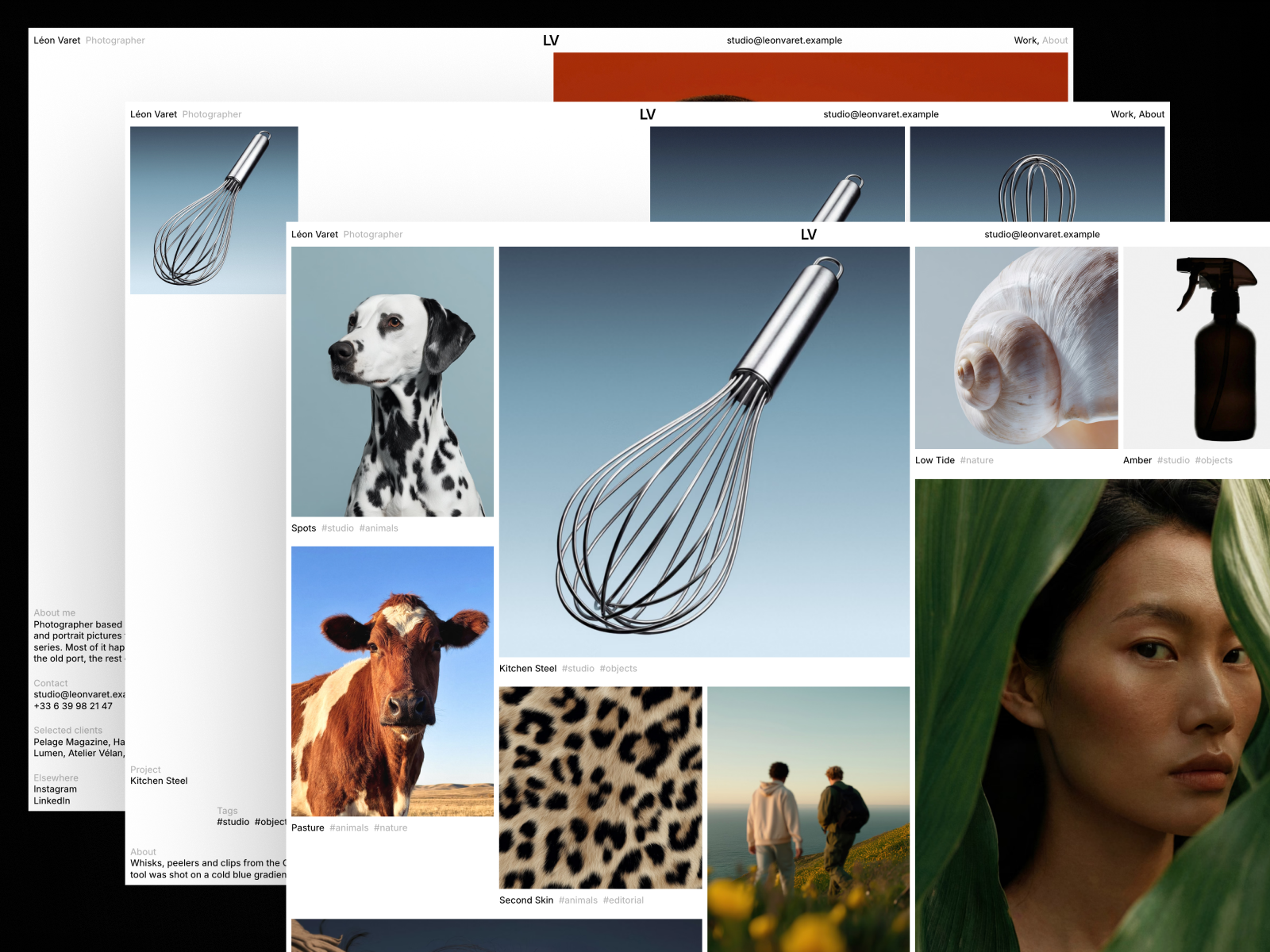
A concrete example. Léon Varet, the free Framer template I made for photographers, opens every visit with your name rising letter by letter while photographs flip in the middle of the screen. The home page is a packed wall of prints in five frame sizes, set from a single CMS field. That kind of layout is hard to build in a section-based editor. See the Léon Varet listing.
Video and bandwidth
Squarespace lists unlimited bandwidth on all plans. Its video hosting is limited by plan: 30 minutes on Basic, 5 hours on Core, 50 hours on Plus and unlimited on Advanced.
Framer lists bandwidth caps: 1 GB on Free, 50 GB on Basic and 100 GB on Pro, with add-ons up to 2 TB. Framer’s pricing FAQ says that for bandwidth, it lets you exceed your limit for one month and emails you so you can upgrade. For video, Framer supports uploaded MP4 files and YouTube or Vimeo embeds. Its video optimization article notes that uploaded files are served unaltered, so compress them first or use YouTube or Vimeo for adaptive streaming.
If you post a lot of motion work, Squarespace’s unlimited bandwidth is reassuring. If you mostly show stills and embed video from Vimeo, Framer’s limits are rarely an issue for a portfolio.
Support and help
Squarespace advertises 24/7 customer support on all plans. Framer has a help center, an academy and community forums, and its pricing FAQ points to support for refunds in the EU and Turkey. For a photographer who does not want to troubleshoot alone, Squarespace’s support is a genuine plus.
Who should pick which
Pick Framer if:
- You want a free site today on yourname.framer.photos.
- You want a layout that feels custom, like a contact sheet or a series viewer.
- You show work and take bookings by email, without online checkout.
- You want the lowest yearly cost for a custom domain.
Pick Squarespace if:
- You sell prints, presets, sessions or memberships from your site.
- You upload lots of video directly and want unlimited bandwidth.
- You want 24/7 support from one company.
Moving between them
Neither move is automatic. Moving to Framer usually means rebuilding on a template and pointing your domain at Framer, which my custom domain guide covers. If you have links from old pages to keep working, note that Framer lists redirects on Pro, not Basic.
Ready to try the Framer side? Follow how to make a photography portfolio website in Framer, or browse the Photography templates.
FAQ
Is Framer cheaper than Squarespace?
Yes, at the entry level. On October 11, 2026, Framer Basic was $10 per month and Squarespace Basic was $19 per month, both billed yearly. Framer also has a free plan and Squarespace does not.
Can I sell prints on Framer?
Framer’s pricing page does not list built-in commerce, so you would link to an external shop. Squarespace includes selling on every plan.
Does Squarespace have a free plan?
No. Squarespace’s pricing FAQ says every site starts with a 14-day free trial instead.
Which is better for a photography portfolio?
Framer is better for a distinctive portfolio on a budget. Squarespace is better when the site also has to be your shop.