Niche guide ·
Dark Framer Portfolio Templates (Free, 2026)
Free dark Framer portfolio templates for filmmakers, photographers and studios: Silvan Rhyner, Studio Aven and Rauten, plus three that switch light and dark.
Short answer: If your work is film, photography or anything that looks best on a black background, start with Studio Aven for a production company, Silvan Rhyner for client work plus personal photography, or Rauten for a small studio. If you want visitors to choose, Nordlyn, Oktav and Maël Blanc all ship with a light and a dark theme. All six are free.
I design all of these, so read this as a builder’s notes rather than a neutral review. I’ve tried to stick to what each template actually contains, and to say plainly when dark is the wrong call.
When a dark portfolio makes sense
A dark background is not a style upgrade. It changes how the work reads.
- Moving image and photography. Video stills, night shoots and saturated colour sit well on black. The frame reads like a screen, and the interface falls away.
- Short text. Dark layouts are comfortable for names, captions, credits and a few sentences. They get tiring for long case studies.
- A clear mood. Film production companies, music video directors and some studios want the site to feel like a screening room. Dark gets there quickly.
It works less well if your portfolio is mostly writing, process diagrams or light, airy product shots. In that case a light template, or one with a theme switch, is the safer choice.
Quick comparison
| Template | Best for | Theme | Pages | CMS collections |
|---|---|---|---|---|
| Studio Aven | Film production companies, directors | Dark | 7 | Works, Categories, Recognition |
| Silvan Rhyner | Designers who also shoot personal photo series | Dark only | 7 | Projects, Series |
| Rauten | Small studios, freelancers, personal brands | Dark | 7 | Yes |
| Nordlyn | Studios with a growing archive | Light and dark (Paper and Ink) | 7 | Projects, categories, legal |
| Oktav | Design and development studios | Light, dark and system | 11 | Yes, including Careers |
| Maël Blanc | Independent designers and art directors | Light and dark, follows the system | 9 | Projects, Services |
Dark-only templates
Studio Aven
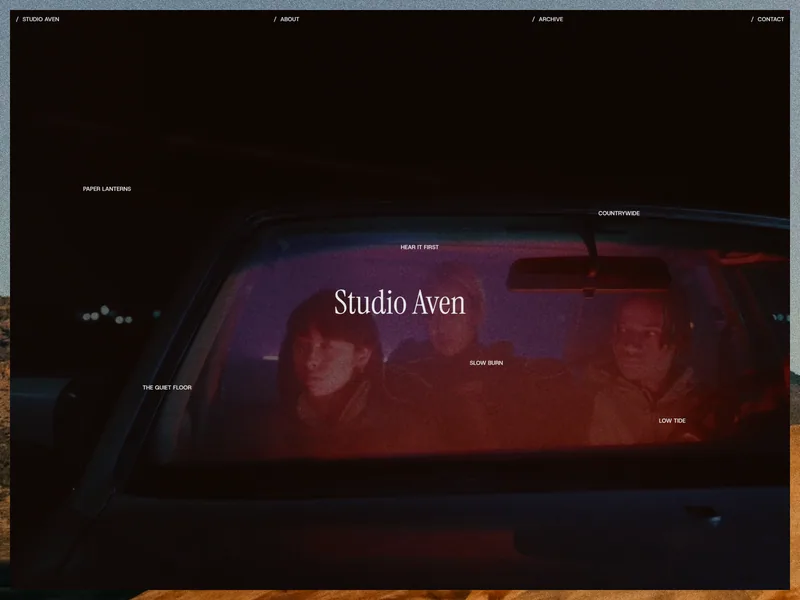
Studio Aven is built for film production companies, producers and directors who make short films, music videos and brand films. The home page is a full-screen showreel with film grain. Hover a project title and the background swaps to that project’s cover.
The part I’d point a filmmaker to is the Archive. It is laid out like a production datasheet: every project in one dense list with its number, year, category, client and role. Filter by category and a small cover follows your cursor from row to row. Each project page carries the synopsis, full credits, festival awards, a link to the film and a parallax gallery.
Pick it if your credits and awards matter as much as the images. If you are a solo video editor, the video editor template guide covers lighter options too.
Silvan Rhyner
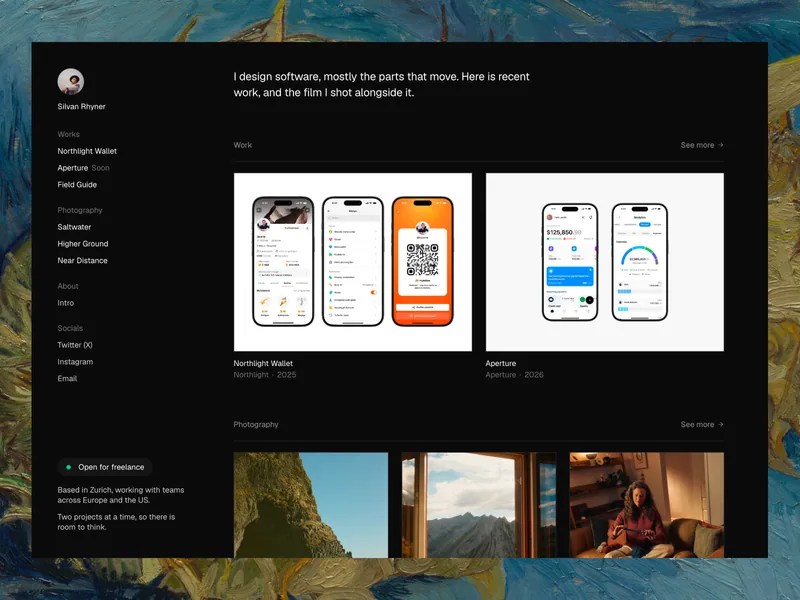
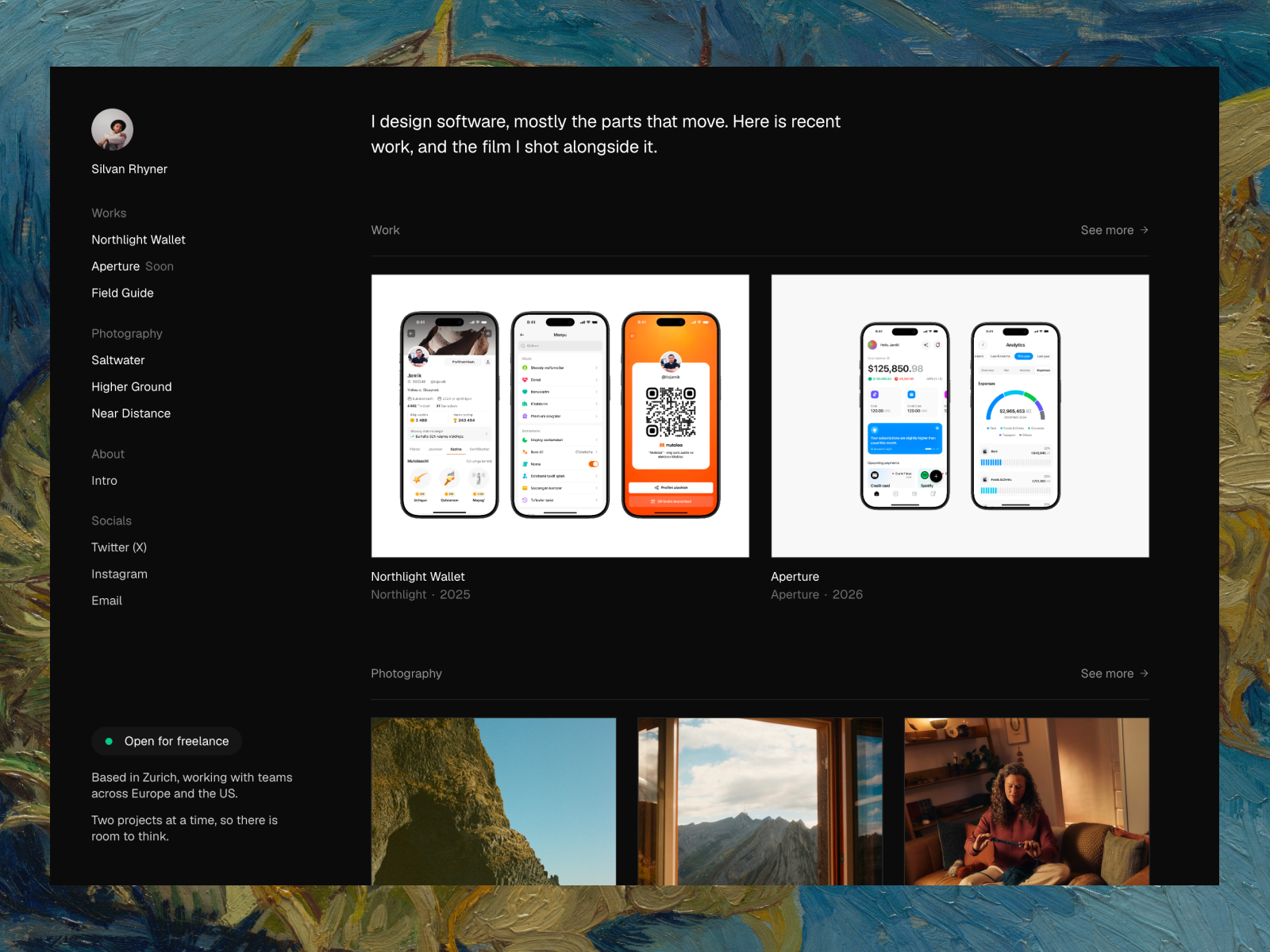
Silvan Rhyner is for people who keep two bodies of work: client projects and personal photography. Everything sits beside a fixed sidebar with your name, the navigation and a status badge that says whether you are taking work.
The navigation is built from the CMS. Add a project or a photo series and it appears in the sidebar on its own. Hover a nav item and it fades through that item’s images with a blur. The type is deliberately small: one typeface, two sizes, no display headlines. Media runs square-cornered and edge to edge, and opens in a lightbox.
It is dark only, by design. If you think you’ll want a light version later, pick Nordlyn instead.
Rauten
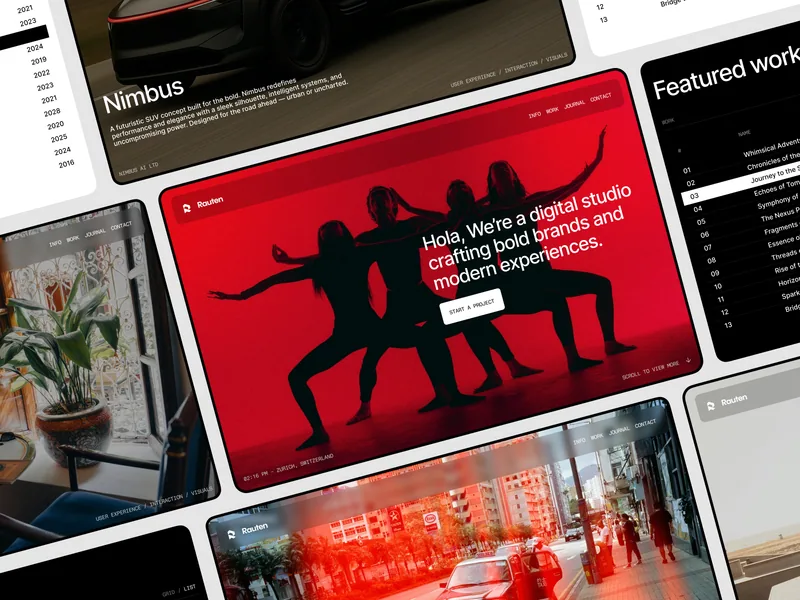
Rauten reads like a small agency site. The demo is a fictional digital studio: a big statement and a Start a Project button up top, then selected work with the disciplines behind each project, four service blocks, client quotes, journal posts and a closing call to action.
It has the most motion of the three: animated page transitions, smooth scrolling, custom cursors and text effects. That suits a studio that wants to feel confident and a bit loud. If you’d rather the interface stayed quiet, Silvan Rhyner is the calmer option.
Templates with a light and dark theme
A theme switch is a good middle ground. Visitors who browse at night or prefer dark interfaces get one, and nobody is forced into it.
Nordlyn
Nordlyn presents your work as a living archive: a minimal index you can filter by discipline, with image previews on hover. It has two themes, Paper and Ink. It matches the visitor’s system setting automatically, lets them switch by hand, and remembers the choice on the next visit.
Oktav
Oktav is the biggest of the six, with 11 pages, a searchable client index in a sidebar, masonry case studies and a Careers collection. It offers light, dark and system themes and remembers what the visitor picked. It is a better fit for a studio with a team than for a solo portfolio.
Maël Blanc
Maël Blanc is a calm editorial portfolio for independent designers, art directors and brand or packaging designers. Light and dark mode follow the visitor’s system setting, so there is no toggle to design around.
How to make a dark portfolio look good
A few things I check before publishing any dark site:
- Check text contrast. Grey on black looks elegant in a mockup and becomes unreadable on a phone in sunlight. Run your body text and captions through a contrast checker and aim for WCAG AA.
- Export images for a dark background. Images with white borders or light backgrounds will glow and pull the eye. Crop or reshoot covers so they sit on black.
- Keep paragraphs short. Two or three sentences per block. Put long process write-ups on a project page, not on the home page.
- Give the showreel a poster image. A full-screen video on a slow connection shows nothing until it loads. A poster frame means visitors see something straight away.
- Test reduced motion. Dark templates often lean on motion. Turn on reduced motion in your system settings and check that the site still makes sense.
How to get one of these templates
Open the template page, click Get free template, and check out at $0. The remix link arrives after checkout. Remix it into your Framer account, replace the demo content in the CMS, and publish. The step-by-step portfolio guide walks through the whole process, and Customization is there if you’d rather I set it up for you.
FAQ
Are these dark Framer templates free?
Yes. Studio Aven, Silvan Rhyner, Rauten, Nordlyn, Oktav and Maël Blanc are all free on anabios and on the Framer Marketplace.
Can I turn a dark-only template into a light one?
You can, by editing the colour styles in Framer, but it takes more than swapping two colours. Images, borders and hover states were chosen for a dark background. If you already know you want both, start with Nordlyn, Oktav or Maël Blanc.
Which dark template is best for a photographer?
Silvan Rhyner, if you also show client design work. If photography is all you do, Léon Varet is built for photographers who work in series, but it is a light template.
Is a dark website worse for SEO?
No. Search engines read the text and structure, not the background colour. What matters is readable contrast, real page titles and descriptions, and images with alt text.